















Select your country or region


In modern workspaces, meeting rooms, training areas, lobby displays, and collaboration devices continue to grow. For IT teams, the challenge is no longer just remote control of individual devices. It is bringing deployment, monitoring, software management, content publishing, and maintenance into one streamlined workflow.
MAXHUB Pivot⁺ is built for this shift. As a centralized cross-device management platform, it brings Device Control, Software Management, Content Distribution, and Resource Management together in one place, helping organizations move from manual management to smarter, more efficient, and more secure operations. Unlike generic MDM tools that require separate platforms for device control and content management, Pivot⁺ unifies both in a single interface designed for managing devices across scenarios.

A One-Stop Platform for the Full Device Lifecycle
Pivot⁺ covers every stage, from deployment and daily operation to ongoing maintenance. Administrators can view device status, tasks, and resources in one place while managing devices and content distribution on the same platform. For organizations operating across floors, offices, or regions, this all-in-one approach reduces tool switching and brings more order to daily operations.
The platform also strengthens security and compliance, providing a stronger foundation for device and data protection in line with standards such as GDPR, SOC 2, and NIS2.
Zero-Touch Enrollment for Faster Deployment
Pivot⁺ starts saving time at deployment. The platform supports automatic enrollment through pre-registered serial numbers and MAC addresses. Once a device connects to the network, it enrolls automatically without manual intervention. IT teams can also discover devices on the same network and enroll them in batches with one click.
When new meeting spaces go live, device fleets expand, or multiple sites are deployed at the same time, teams can avoid repetitive manual registration and bring devices under management faster.

Global Control with a Clear Dashboard
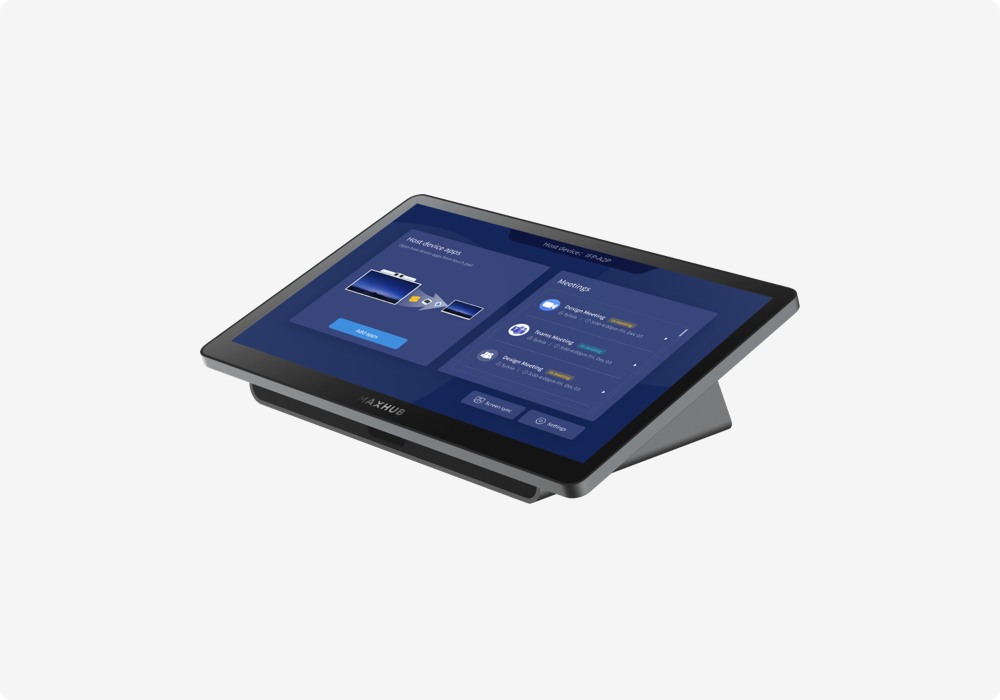
Once devices are enrolled, day-to-day management begins. Pivot⁺'s built-in Smart Dashboard centralizes device status, tasks, and resources, giving administrators a clear view of which spaces are running smoothly and which devices need attention.
From the same interface, IT teams can send commands in batches and remotely configure MAXHUB Windows and Android devices. Apps can also be installed in batches, then remotely enabled, disabled, or uninstalled, bringing software management into the same unified workflow.

Intelligent Maintenance to Keep Spaces Running
As device fleets grow, proactive maintenance becomes essential. Pivot⁺ provides multi-device screen control, custom incident rules, smart firmware updates, and centralized log management.
Administrators can remotely view and control multiple conference room screens for real-time diagnostics, and set automated incident rules to notify the right people when issues arise. The platform automatically detects new firmware versions and supports batch or scheduled updates, keeping every device current with less manual effort. Centralized logs provide full traceability for audits and troubleshooting.

Content Distribution: From Assets to Scheduling
Beyond device management, Pivot⁺ extends into content operations. Teams can manage images, videos, documents, and other resources in a unified asset library, then assemble content on an intuitive drag-and-drop canvas and build playlists as needed.
For publishing, a visual calendar scheduler helps teams quickly set playback time slots, making content updates across lobbies, showrooms, offices, and training spaces faster and easier.

From deployment and management to maintenance and content publishing, MAXHUB Pivot⁺ brings scattered workflows into one platform. For organizations scaling their device ecosystems, it is more than a management tool. It is a simpler, more proactive, and fully traceable way to operate.
Ready to simplify your device operations? 📌https://www.maxhub.com/en/pivot_plus/


{$ text $}